
6 companies compared
What Is Kitting? Kit vs Bundle vs Assembly and Stock Counts
Kitting is grouping separate items into one set that is stored, picked or sold as a unit. What matters is whether stock is counted on the kit or its parts.

By Praveen Nune, Co-Founder & CEO · Updated 13 Nov 2026
On this page
- 01The shortlist
- 02How we ranked them
- 03The companies in detail
- 04How to choose
- 05What is kitting, and how is a kit different from a bundle or an assembly?
- 06Should inventory be counted on the kit or on its parts?
- 07Which kit model fits your business: built kit, virtual kit or assembly?
- 08How can you test any inventory software's kit handling in three checks?
- 09Does selling a kit at one price change the GST you charge?
- 10How does kitting work in Arka Inventory?
- 11Method and sources
- 12Frequently asked
The short answer
Count stock on the parts when sets are picked together at order time. Count it on the kit when sets are physically built in advance. Use an assembly when work turns parts into a new product.
The shortlist
How we ranked them
- Publishes documentation on how it treats kits or bundles
- Makes clear whether stock is counted on the kit or on its parts
- Sells a set of items as one unit, either as a kit, composite item or bundle
- Documentation was available to compare as of November 2026
The companies in detail
Arka Inventory
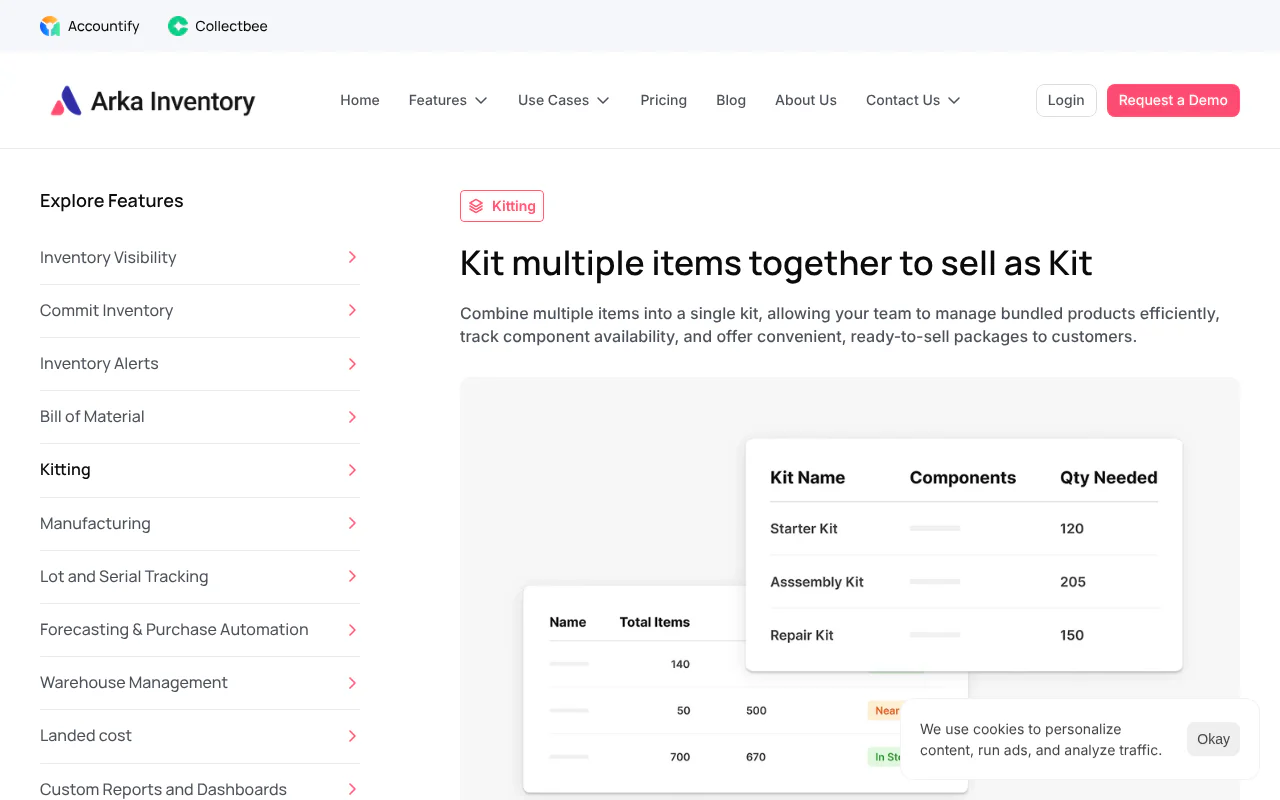
Salesforce-native inventory with kitting that tracks components
- Stock counted on
- Components, with availability tracked
- Kit term
- Kit
- Availability
- Component inventory and availability tracked
- Requirement
- Advance or Enterprise plan
You combine multiple items into a single kit to sell, and we track component inventory and availability. Kitting is on our Advance and Enterprise plans. We publish this page, and Arka Inventory is one of the systems compared.
Strengths
- Combines multiple items into a single kit to sell, with component inventory and availability tracked
- The Advance plan includes bills of material, production and kitting
- Bill of material and manufacturing features cover assembly and disassembly
NetSuite (Oracle)
Kit items tracked through their component members
- Stock counted on
- Individual component members
- Kit term
- Kit/Package item
- Availability
- Minimum on-hand quantity among components
- Requirement
- Kit record shows no available quantity
Kit/Package item inventory isn't tracked by the kit, it is tracked by individual component members. Its available-to-build calculation works from the minimum on-hand quantity among the components.
Strengths
- Stock is tracked on individual component members
- Available-to-build shows how many units of an assembly can be made from current component stock
- Available-to-build works from the minimum on-hand quantity among the components
Limitations
- The kit record can't display an available quantity, so the number must be read from the components
- Kit inventory is not tracked by the kit, so there is no kit-level count to build or adjust
Zoho Inventory
Composite items carried as their own stock line
- Stock counted on
- The composite item as its own stock line
- Kit term
- Composite item
- Availability
- Own count on the composite item
- Requirement
- Manual stock adjustment to unpack a kit
A composite item is Zoho's name for a kit, and it has its own count. Unpacking a kit is done by adjusting stock by hand.
Strengths
- A composite item has its own count
- Composite item is Zoho's name for a kit, carried as its own stock line
Limitations
- Unpacking a kit means adjusting stock by hand: a negative quantity on the composite item and the components added back
- A kit that carries its own count shows zero until someone builds it, however many parts are on the shelf
Odoo
Kits are a type of bill of materials
- Stock counted on
- Components, with kit inventory optional
- Kit term
- Kit, a type of bill of materials
- Availability
- Delivery orders list each kit component
- Requirement
- Manufacturing and Inventory apps installed
A kit is a type of bill of materials. Delivery orders list each component of the kit, and tracking the kit's own inventory is optional.
Strengths
- Delivery orders list each component of the kit
- Tracking the kit's own inventory is optional
- A kit is a type of bill of materials
Limitations
- The Manufacturing and Inventory apps must both be installed to use kits
inFlow Inventory
Bundle products built by manufacture order
- Stock counted on
- Bundle, after components are deducted
- Kit term
- Bundle product
- Availability
- Bundle added to inventory by manufacture order
- Requirement
- inFlow Manufacturing plan
With Auto-assemble, a manufacture order is created when a bundle is picked or placed on a fulfilled sales order. The components are deducted and the bundle is added to inventory.
Strengths
- Auto-assemble creates a manufacture order when a bundle is picked or placed on a fulfilled sales order
- Components are deducted and the bundle is added to inventory
- Bundles are added to inventory as their own stock
Limitations
- Bundle products need an inFlow Manufacturing plan
Katana
Component-level stock with bundle fulfilment checks
- Stock counted on
- Components
- Kit term
- Bundle
- Availability
- Potential stock calculation from components
- Requirement
- Bundle sales orders generate manufacturing orders
Inventory is managed at component level, and a potential stock calculation shows whether a bundle can be fulfilled from current components.
Strengths
- Inventory is managed at component level
- A potential stock calculation shows whether a bundle can be fulfilled from current components
- Bundle fulfilment is checked against current component stock
Limitations
- A sales order that includes a bundle generates the manufacturing orders to assemble it
How to choose
- 1
Decide whether you build sets in advance
If you physically combine the parts before an order arrives, you need a built kit. If not, a virtual kit fits. - 2
Check whether parts also sell loose
Prefer a count calculated from the parts, or write a rule for which pool a loose sale draws from. - 3
Set one part to zero stock
A virtual kit should fall to zero available. For a built kit, the next build should be blocked or flagged while built kits stay sellable. - 4
Sell one kit
A virtual kit lowers each part by its quantity per kit with no kit count moving. A built kit lowers the kit count by one and leaves parts alone. - 5
Sell one part loose
Sellable kits should be recalculated from what remains, or the kit count should stay unchanged while the part count falls. - 6
Check the tax treatment of the set
A set sold at one price can be a mixed supply under GST, taxed at the highest rate among its items. Confirm each kit with your tax adviser.
What is kitting, and how is a kit different from a bundle or an assembly?
Kitting is grouping separate items into one set that is stored, picked or sold as a single unit. Companies use "kit", "bundle" and "assembly" loosely. This page uses them in four fixed ways: a built kit, a virtual kit, a bundle and an assembly.
A kit becomes an assembly when the work creates a new product that needs its own cost and a production order. If the parts could go back on the shelf and be sold loose, it is a kit. If they are consumed, it is an assembly. For the assembly side, see our bill of materials example and the glossary entry on a production order.
In a factory, the same word also describes gathering every part for one job and delivering it to the production line. The stock question below applies there too.
- Term
- Built kit
- What it is
- Parts physically combined before any order arrives
- Where stock sits
- On the kit, as its own count. Parts leave stock when the kit is built
- Build step needed
- Yes, a packing or build step
- Term
- Virtual kit
- What it is
- A set defined in the system. Parts stay loose and are picked together when ordered
- Where stock sits
- On the parts
- Build step needed
- No build step: parts stay loose and are picked together when ordered
- Term
- Bundle
- What it is
- A commercial offer: items sold together at one price
- Where stock sits
- Depends on whether it runs as a built or a virtual kit
- Build step needed
- Only if it runs as a built kit
- Term
- Assembly
- What it is
- Parts consumed to make a new product
- Where stock sits
- On the finished product
- Build step needed
- Yes, a bill of materials (the list of parts and quantities needed to make one finished item) and a production order (an instruction to make a set quantity of a product)
Should inventory be counted on the kit or on its parts?
Count stock on the parts when sets are picked together at order time. Count it on the kit when sets are physically built in advance. Software differs here: NetSuite counts the components, Zoho Inventory counts a composite item (Zoho's name for a kit) as its own stock line, and Odoo, inFlow and Katana mix the two, as the table shows.
We publish this page, and Arka Inventory is one of the systems in the table. Each row describes the provider's own documentation.
NetSuite's available-to-build calculation (how many units of an assembly can be made from current component stock) works from the minimum on-hand quantity among the components (Oracle NetSuite help, Available to Build Calculation).
For a virtual kit, the number you can sell is the lowest result across the parts. Our model:
- Formula: sellable kits = the lowest of (on hand ÷ quantity per kit) across all parts, rounded down.
- Illustrative inputs: 10 tents (1 per kit), 14 sleeping bags (2 per kit), 6 stoves (1 per kit).
- Working: 10 ÷ 1 = 10, 14 ÷ 2 = 7, 6 ÷ 1 = 6. The stove limits the set, so you can sell 6 kits.
The example numbers are invented to show the arithmetic, not measured.
Our recommendation follows from how these models behave. A kit that carries its own count shows zero until someone builds it, however many parts are on the shelf. A kit count typed or synced separately from its parts also drifts when a part is sold loose. A count calculated from the parts avoids both problems.
- System
- Arka Inventory
- How it treats a kit
- You combine multiple items into a single kit to sell, and we track component inventory and availability. Kitting is on our Advance and Enterprise plans
- System
- NetSuite (Oracle)
- How it treats a kit
- "Kit/Package item inventory isn't tracked by the kit, it is tracked by individual component members," and the kit record "can't display an available quantity" (source: Oracle NetSuite help)
- System
- Zoho Inventory
- How it treats a kit
- A composite item has its own count. Unpacking a kit means adjusting stock by hand: a negative quantity on the composite item and the components added back (source: Zoho Inventory help)
- System
- Odoo
- How it treats a kit
- A kit is a type of bill of materials. Delivery orders list each component of the kit, and tracking the kit's own inventory is optional. The Manufacturing and Inventory apps must both be installed (source: Odoo 19.0 documentation)
- System
- inFlow Inventory
- How it treats a kit
- Bundle products need an inFlow Manufacturing plan. With Auto-assemble, a manufacture order is created when a bundle is picked or placed on a fulfilled sales order, the components are deducted and the bundle is added to inventory (source: inFlow support)
- System
- Katana
- How it treats a kit
- Inventory is managed at component level, and a potential stock calculation shows whether a bundle can be fulfilled from current components. A sales order that includes a bundle generates the manufacturing orders to assemble it (source: Katana support)
Which kit model fits your business: built kit, virtual kit or assembly?
Use a virtual kit when the same parts also sell loose or the set changes often. Use a built kit when you physically box sets before orders arrive. Use an assembly when work turns parts into a new product. Five questions settle the choice.
Every kit you sell needs a stock keeping unit (SKU), the code that identifies an item in your records. Our guide to the SKU numbering system shows how to design that code and audit it.
- #
- 1
- Question
- Do you physically combine the parts before an order arrives?
- If yes
- Built kit
- If no
- Virtual kit
- #
- 2
- Question
- Do any parts also sell on their own?
- If yes
- Prefer a count calculated from the parts, or write a rule for which pool a loose sale draws from
- If no
- Either model works
- #
- 3
- Question
- Does making the set take labour, a fixture or a quality check you want costed?
- If yes
- Treat it as an assembly with a bill of materials and production order
- If no
- Kit
- #
- 4
- Question
- Do any parts carry expiry dates or serial numbers?
- If yes
- Decide before building which date or serial number you must still trace, because a built kit hides the earliest expiry inside the box
- If no
- No extra step
- #
- 5
- Question
- Will you sell this exact set fewer than 12 times a year? (12 is our recommended cut-off)
- If yes
- Pick it from a list and do not create a kit record
- If no
- Create a kit record with its own code
How can you test any inventory software's kit handling in three checks?
Run three checks on a spare set of test items: set one part to zero, sell one kit, then sell one part loose. Each check has a pass or fail result visible on the stock screen. Together they show which counting model the software uses.
- Set one part to zero stock.
- Virtual kit pass: the kit's available quantity falls to zero.
- Built kit pass: the next build is blocked or flagged, while kits already built stay sellable.
- Fail: the kit shows sellable stock it cannot ship.
- Sell one kit.
- Virtual kit pass: each part falls by its quantity per kit and no kit count moves.
- Built kit pass: the kit count falls by one and the parts do not move.
- Fail: both the kit and the parts move, which counts the same stock twice.
- Sell one part loose.
- Virtual kit pass: sellable kits are recalculated from what remains.
- Built kit pass: the kit count is unchanged and the part count falls.
- Fail: the kit count changes without any matching change in parts.
Your sales team quotes from these numbers, so they must come from one place. Our page on inventory visibility explains the figure to quote before promising stock.
Does selling a kit at one price change the GST you charge?
It can. As of November 2026, section 8(b) of the Central Goods and Services Tax (CGST) Act, 2017 provides that a mixed supply is taxed as the supply that attracts the highest rate of tax. A composite supply is taxed as its principal supply (the main item in a naturally bundled set). Which one a kit is depends on how its items are sold (CBIC, CGST Act, 2017, section 8).
The Act's definitions in section 2 describe a composite supply as items "naturally bundled and supplied in conjunction with each other in the ordinary course of business." A mixed supply is two or more individual supplies made together for a single price that do not make up a composite supply.
In practice, the make-up and pricing of a set can change the tax on it. Agree the contents with your tax adviser before you create the kit record. A set sold at one price can be a mixed supply under GST, taxed at the highest rate among its items, so confirm the treatment of each kit with your tax adviser.
How does kitting work in Arka Inventory?
In Arka Inventory you combine multiple items into a single kit to sell, and we track component inventory and availability for it. Kitting is on our Advance and Enterprise plans. We are built natively on Salesforce.
Our kitting feature suits businesses that handle bundles regularly. A camping company can kit a tent, sleeping bag and stove. A computer retailer can offer a gaming kit of graphics card, mouse and keyboard. Customers then buy a ready-to-sell package instead of researching each part. See the kitting feature for details.
As of November 2026, our Advance plan is $499 a month, billed yearly, with two licences and extra users at $52 a month. It includes bills of material, production and kitting (see our pricing). Our Enterprise plan has flexible pricing. When a set needs to be built from parts, our bill of material and manufacturing features cover assembly and disassembly.
Onboarding typically takes a minimum of two weeks, depending on data readiness and integration needs. You provide the inventory, product, warehouse and operational data for setup.
How we built this list
We considered the inventory systems whose own documentation describes how they treat a kit or bundle, and included those that state where stock is counted. We ranked them with Arka Inventory first as the system we publish, and the others in the order the article's comparison table lists them. The comparison reflects each provider's own documentation as of November 2026. Arka Inventory is one of the companies listed.
This page is published by Arka Inventory. If anything here is out of date, tell us and we will correct it.
Sources
- 1.Oracle NetSuite help: Kit/Package Items
- 2.Oracle NetSuite help: Available to Build Calculation
- 3.Zoho Inventory help: composite item adjustments
- 4.Odoo 19.0 documentation: Kits
- 5.inFlow Inventory support: bundle products
- 6.Katana support: Managing bundles
- 7.CBIC: CGST Act, 2017, section 8
- 8.Arka Inventory: Kitting and Bundling
- 9.Arka Inventory: Pricing