
6 companies compared
Purchase Order Software in India: 6 Tools, Costs, 6 Checks
The right purchase order software for a business holding stock links each order to goods received and stock on hand. This page compares six tools and gives six checks for any demo.

By Praveen Nune, Co-Founder & CEO · Updated 11 Nov 2026
On this page
- 01The shortlist
- 02How we ranked them
- 03The companies in detail
- 04How to choose
- 05Key takeaways
- 06Which purchase order software fits a business that holds stock?
- 07How the six compare
- 08What does purchase order software cost for a five-person team?
- 09How do you test purchase order software before you buy?
- 10Why does the goods-received record matter for GST input tax credit?
- 11Method and sources
- 12Frequently asked
The short answer
If you mostly buy physical goods that arrive in a stock room, choose software that links the PO to receipts and stock; if you mostly buy services, choose a procurement tool with budgets and approvals. We rank Arka Inventory first for businesses that hold stock. Run the six checks with your own orders before you pay.
The shortlist
How we ranked them
- Includes a purchase order feature
- Prices and limits are published on the provider's own pages, or the lack of a published price is stated
- Widely used, or built for buyers in a clearly defined lane
- Connects the PO to stock held and goods received, or to approvals and budgets for service spend
The companies in detail
Arka Inventory
Inventory software built natively on Salesforce
- Suits
- Stock-holding businesses, Salesforce teams
- PO strength
- POs in every plan, requisitions, purchase planning
- Price
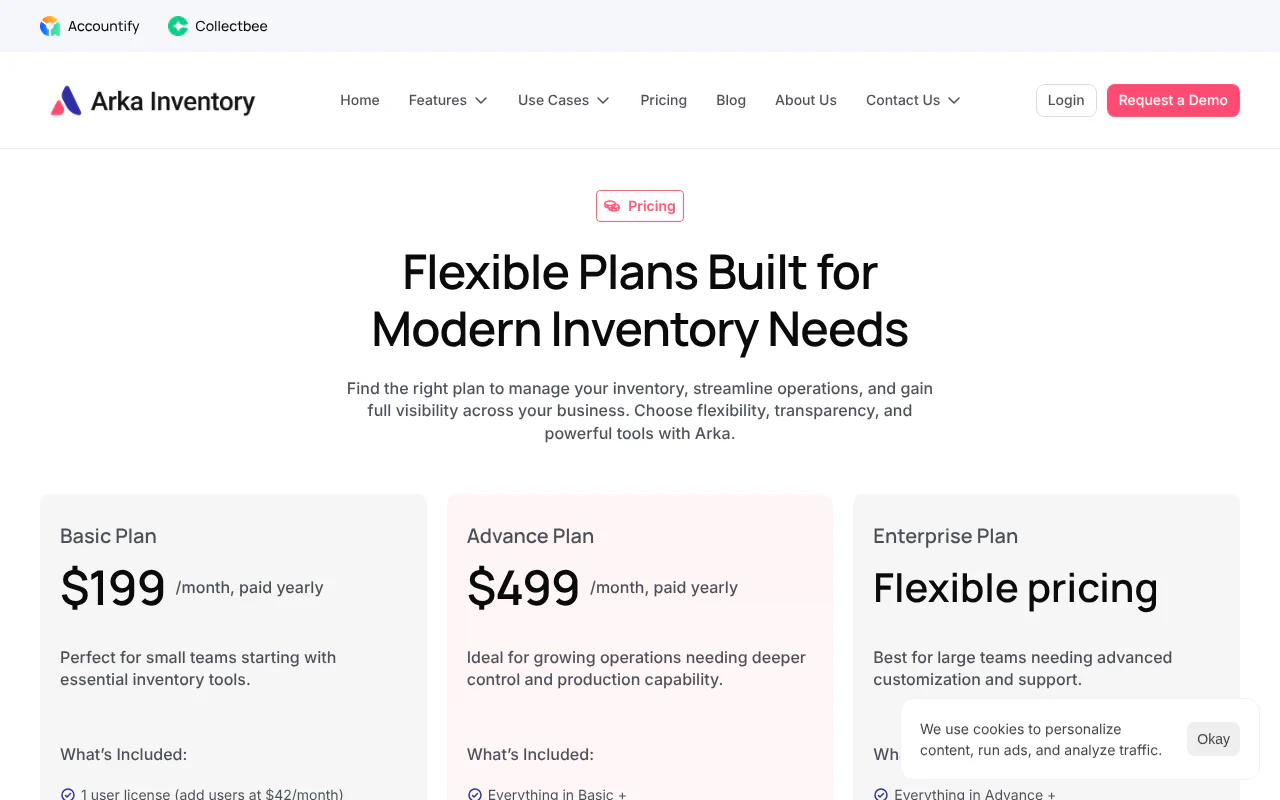
- $199 a month (Basic), yearly
- Spend lane
- Mostly stock
We built Arka Inventory natively on Salesforce, and purchase orders are included in every plan. Forecasting and purchase automation plan purchases using real orders, forecasts and stock, and let you schedule purchase requisitions or purchase orders. Standard setup guidance, configuration assistance and onboarding support are included.
Strengths
- Purchase orders, requisitions and warehouse transfers are part of every plan
- Inventory on order and expected lead times stay visible, with low-stock alerts
- More than 30 paying B2B customers, including Meta Power Solutions and Miller Glass and Glazing
TallyPrime
Accounting and stock package used by Indian businesses
- Suits
- Businesses already on Tally
- PO strength
- Pending Purchase Orders report
- Price
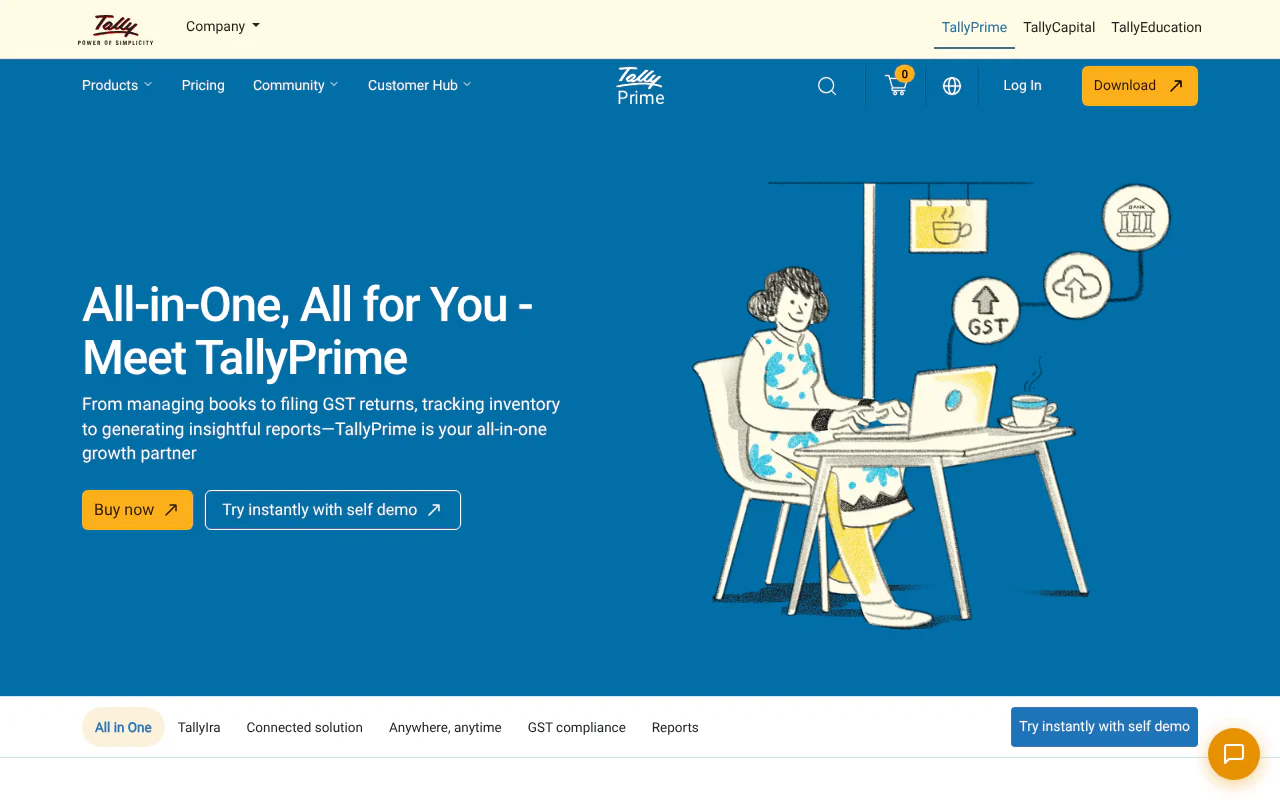
- ₹8,100 for 12 months (Silver)
- Spend lane
- Mostly stock
The Pending Purchase Orders report lists the purchase orders raised with a party that are not closed, with ordered and balance quantities. It suits Indian businesses that already keep accounts and stock in Tally.
Strengths
- Pending Purchase Orders report shows ordered and balance quantities
- Silver is available as a lifetime licence at ₹22,500
- Gold, for multiple users, is ₹2,250 a month or ₹67,500 for a lifetime licence
Limitations
- Silver is single-user, so a team needs Gold, which costs three times as much for 12 months (₹24,300 against ₹8,100)
- All listed prices exclude 18% GST
Zoho Books
Accounting software with built-in purchase orders
- Suits
- Small businesses wanting accounts and POs
- PO strength
- Auto POs, multi-level approvals, partial receipts
- Price
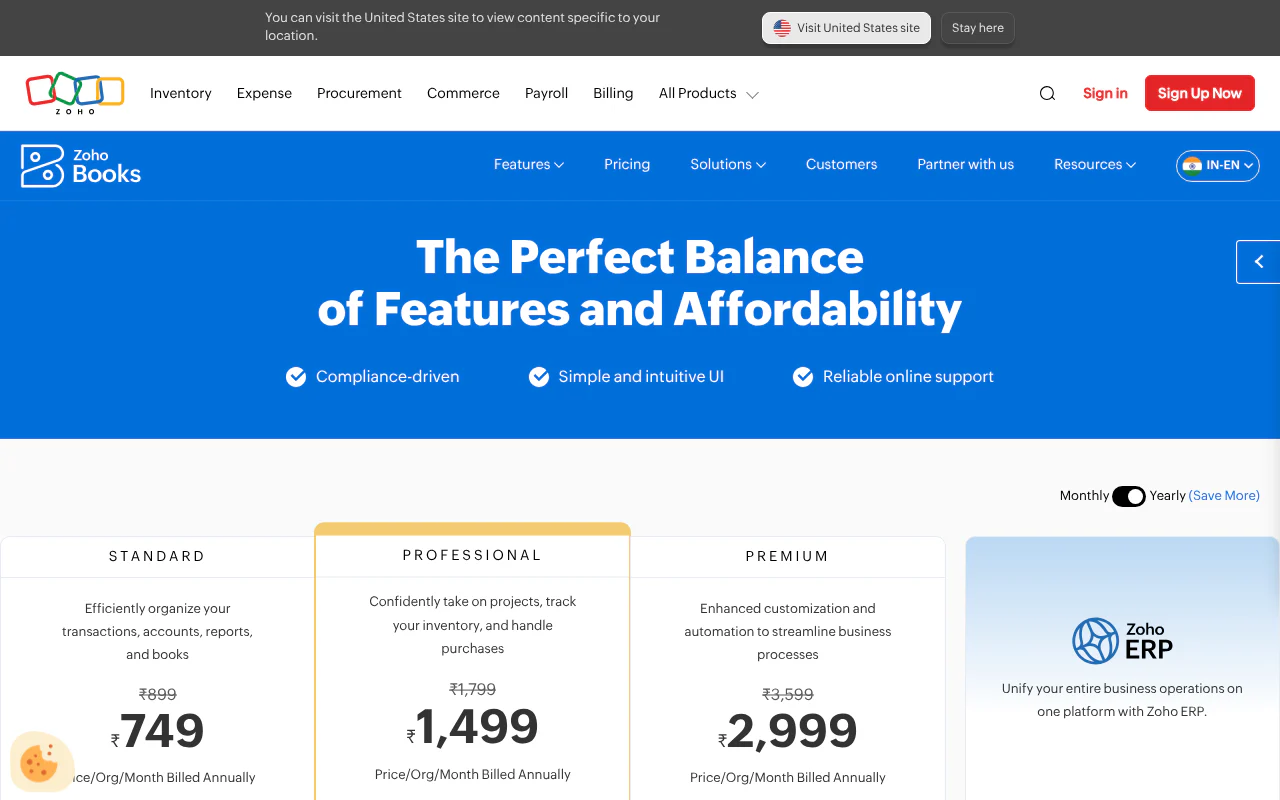
- ₹749 a month (Standard), annual
- Spend lane
- Mostly stock
Zoho Books suits small Indian businesses that want accounting and purchase orders in one subscription. If stock is your main need, our comparison with Zoho Inventory goes deeper.
Strengths
- Creates POs automatically from purchase requests or low-stock alerts
- Runs multi-level approval workflows and converts a PO into a bill in one click
- Tracks partial receipts and manages backorders
Limitations
- Each plan includes a fixed number of users (3 on Standard); extra users cost ₹150 a month each as an add-on
- Higher plans add features such as multi-currency and custom workflows
Odoo
Modular ERP system where you add apps over time
- Suits
- Teams building a modular ERP
- PO strength
- Reordering rules, blanket orders, split bills
- Price
- $31.10 per user a month (Standard)
- Spend lane
- Mostly stock
Odoo suits teams that want a modular enterprise resource planning (ERP) system and will add apps over time. Our Odoo Inventory comparison for Indian teams goes deeper.
Strengths
- Reordering rules generate requests for quotation automatically
- Supports blanket orders and split vendor bills payable on ordered or received quantities
- The first app, including Purchase, is free with unlimited users
Limitations
- Beyond the free app you pay per user, so five users on Standard cost $1,866 a year
- Prices are listed in US dollars
Precoro
Procurement tool with matching and approvals
- Suits
- Cross-department finance teams
- PO strength
- Three-way matching in Core
- Price
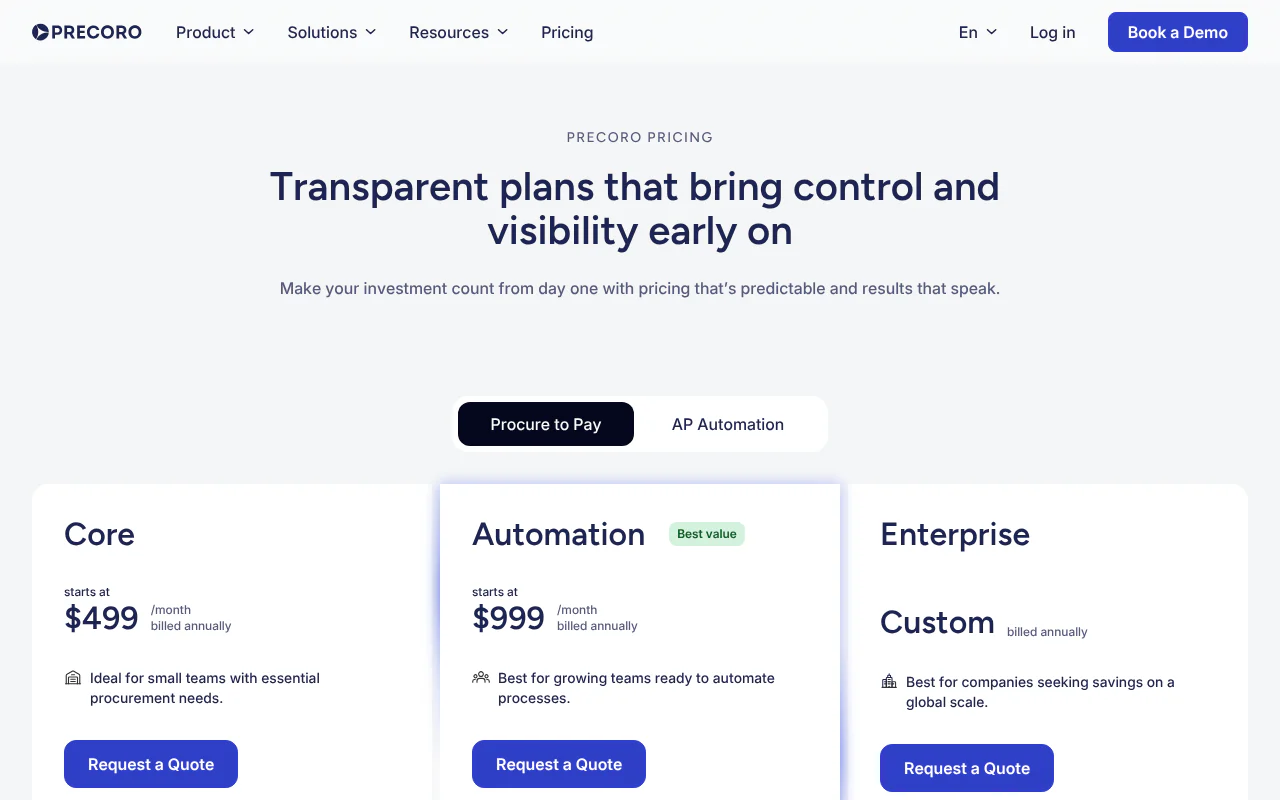
- $499 a month (Core), annual
- Spend lane
- Mostly services and indirect spend
Precoro suits finance teams buying across departments that need matching and approvals.
Strengths
- The Core plan includes three-way matching of purchase orders, receipts and invoices in real time
- Compares documents before you pay
- Automation plan is available at $999 a month
Limitations
- The entry price is $5,988 a year
- Prices are listed in US dollars and billed annually
Procurify
Procurement tool routing requests, budgets and approvals
- Suits
- Request and budget workflows
- PO strength
- PO from approved requests, audit trail
- Price
- Quoted per customer
- Spend lane
- Mostly services and indirect spend
Procurify suits organisations that route requests, budgets and approvals across departments.
Strengths
- Auto-generates POs from approved requests and sends them to vendors
- Tracks received items with an audit trail
- Unlimited basic users to request orders and receive items
Limitations
- You cannot compare its price with the others until you have had a sales conversation
How to choose
- 1
Decide whether you mostly buy goods or services
Choose inventory-linked purchase order software if most of your buying is goods that are received, stored and issued. Choose procurement software if most of it is services, subscriptions and office spend. - 2
Check whether the PO updates stock
The deciding question is whether a PO must update stock when goods arrive. The PO should open against stock, receive into a warehouse and show quantity on order. - 3
Work out the real cost for your team
Multiply each provider's listed monthly or annual price by your users and 12 months, then add 18% GST where prices exclude it. Do not compare totals across currencies. - 4
Run the six checks with your own orders
Use your own supplier, items and rates in a trial or vendor-led demo, and score each check as pass or fail. - 5
Confirm which plan includes approvals
Set a rupee threshold and ask the vendor to confirm in writing which plan includes approval by order value. - 6
Keep the receipt record for GST
Under Section 16(2) of the CGST Act, input tax credit requires that you received the goods, so check that the receipt date and quantity sit on each PO.
Key takeaways
- If most of what you buy is physical goods that arrive in a stock room, choose software that links the PO to receipts and stock. If most of it is services, choose a procurement tool with budgets and approvals.
- Arka Inventory includes purchase orders in every plan, a 15-day free trial with full access and no credit card, and stock linkage built natively on Salesforce.
- As of November 2026, five users for 12 months cost ₹17,988 on Zoho Books Professional and ₹24,300 on TallyPrime Gold at listed prices, before Goods and Services Tax (GST). Price tells you the category, not how a PO behaves after it is sent, so run the six checks below with your own orders before you pay.
- Input tax credit (ITC, the GST you paid on purchases and can offset against GST you owe) depends on having received the goods, so the receipt record attached to each PO has tax value as well as stock value.
Which purchase order software fits a business that holds stock?
Choose inventory-linked purchase order software if most of your buying is goods that are received, stored and issued. Choose procurement software if most of your buying is services, subscriptions and office spend. The deciding question is whether a PO must update stock when goods arrive.
- Mostly stock (manufacturers, distributors, traders): the PO should open against stock, receive into a warehouse and show quantity on order. Tools 1 to 4 are built that way.
- Mostly services and indirect spend: the PO needs budgets, approval routing and department requests. Tools 5 and 6 are built that way.
- Accounts-led, one site, low volume: an accounting package's PO feature often does the job.
If you are unsure which lane your spend falls in, our purchase requisition guide separates stock buying from spend buying.
How the six compare
Prices are as listed on each provider's own pages in November 2026.
- Tool
- Arka Inventory
- Suits
- Stock-holding businesses, Salesforce teams
- Purchase order strength
- POs in every plan, requisitions, purchase planning from orders, forecasts and stock
- Price as listed, November 2026
- $199 or $499 a month (Basic, Advance), Enterprise custom, billed yearly
- Tool
- TallyPrime
- Suits
- Businesses already on Tally
- Purchase order strength
- Pending Purchase Orders report
- Price as listed, November 2026
- ₹8,100 (Silver) or ₹24,300 (Gold) for 12 months, plus 18% GST
- Tool
- Zoho Books
- Suits
- Small businesses wanting accounts and POs
- Purchase order strength
- Auto POs, multi-level approvals, partial receipts
- Price as listed, November 2026
- ₹749 to ₹7,999 a month by user count, billed annually
- Tool
- Odoo
- Suits
- Teams building a modular ERP
- Purchase order strength
- Reordering rules, blanket orders, split bills
- Price as listed, November 2026
- $31.10 per user a month; first app free
- Tool
- Precoro
- Suits
- Cross-department finance teams
- Purchase order strength
- Three-way matching in Core
- Price as listed, November 2026
- $499 or $999 a month, annual
- Tool
- Procurify
- Suits
- Request and budget workflows
- Purchase order strength
- PO from approved requests, audit trail
- Price as listed, November 2026
- Not published
What does purchase order software cost for a five-person team?
For five users over 12 months, the listed prices work out between ₹17,988 and ₹24,300 in rupees and between $1,866 and $7,860 in dollars, depending on the tool. This is our model of listed prices, not a ranking by cost: each provider's listed monthly or annual price, multiplied out, with no conversion between currencies and no GST added.
The tools are not like for like. Zoho Books and TallyPrime are accounting packages, Odoo is an ERP, and Precoro and Arka Inventory are purchasing and inventory tools. Procurify's total cannot be worked out because it publishes no price. A total tells you the category you are buying, not how its purchase orders behave once goods arrive, and that needs testing.
- Tool and plan
- Arka Inventory Basic
- Working
- ($199 + 4 × $42) × 12 = $367 × 12
- 12-month total at listed prices (GST not added)
- $4,404
- Tool and plan
- Arka Inventory Advance
- Working
- ($499 + 3 × $52) × 12 = $655 × 12
- 12-month total at listed prices (GST not added)
- $7,860
- Tool and plan
- Zoho Books Professional (5 users)
- Working
- ₹1,499 × 12
- 12-month total at listed prices (GST not added)
- ₹17,988
- Tool and plan
- TallyPrime Gold (multi-user)
- Working
- 12-month listed price
- 12-month total at listed prices (GST not added)
- ₹24,300
- Tool and plan
- Odoo Standard
- Working
- $31.10 × 5 users × 12
- 12-month total at listed prices (GST not added)
- $1,866
- Tool and plan
- Precoro Core
- Working
- $499 × 12
- 12-month total at listed prices (GST not added)
- $5,988
How do you test purchase order software before you buy?
Run six tests with your own supplier, items and rates, in a trial or a vendor-led demo, and score each as pass or fail. Creating a PO is easy everywhere; these checks target the events after the PO is sent, which is where buyers run into trouble.
Does a short delivery leave the balance open?
Raise a PO for 100 units and receive 80. Pass: the PO stays open and shows 20 pending. Fail: it closes, or you must track the balance by hand.
What happens when a supplier ships more than you ordered?
Receive 110 against an order of 100. Pass: the system blocks the extra 10, or accepts it only within a tolerance you set and flags it. Fail: it accepts silently, and you find the difference at invoice time.
Can you change an order after part of it has arrived?
Receive part of a PO, then cancel or reduce one line. Pass: the open balance changes and the received quantity is untouched. Fail: the tool refuses and you must close the PO and raise a new one.
Does an invoice that does not match the order get flagged?
Enter two supplier invoices: one with no PO and one at a rate different from the PO. Pass: each is flagged or held before payment. Fail: both pass through. Our purchase order process guide gives a pay-or-hold rule and a sample PO.
Does approval by order value come with your plan?
Set a rupee threshold of your choice. Pass: a PO above it routes to a named approver and cannot be sent until approved, and the vendor confirms in writing which plan includes this. Fail: approvals exist only on a higher tier than the one quoted.
Does a PO draft itself when stock falls below the reorder level?
Set a minimum quantity for one item and issue stock below it. Pass: a draft PO appears with supplier and quantity for you to approve. Fail: you get an alert and must create the PO yourself.
Why does the goods-received record matter for GST input tax credit?
The goods-received record is your proof that you received the goods, which Section 16(2) requires before you can claim input tax credit. Under Section 16(2) of the Central Goods and Services Tax Act, you cannot claim input tax credit unless you hold the supplier's tax invoice or debit note and have received the goods or services. The second proviso sets a 180-day limit for paying the supplier, as published by the Central Board of Indirect Taxes and Customs. Our recommendation is to keep the receipt date and quantity on each PO, so one record answers both the stock audit and the tax query.
How we built this list
We considered Arka Inventory and five widely used tools, with prices as listed on each provider's own pages in November 2026. We ranked them by how directly the PO connects to stock held and goods received, and we point buyers whose spend is mostly services to the tools built for that kind of buying. Arka Inventory is one of the companies listed, and we rank it first for businesses that hold stock.
This page is published by Arka Inventory. If anything here is out of date, tell us and we will correct it.
Sources
- 1.Section 16, Central Goods and Services Tax Act, 2017, Central Board of Indirect Taxes and Customs, November 2026
- 2.TallyPrime pricing, Tally Solutions, November 2026
- 3.TallyHelp: Pending Purchase Orders, Tally Solutions, November 2026
- 4.Zoho Books pricing (India), Zoho, November 2026
- 5.Zoho Books purchase orders, Zoho, November 2026
- 6.Odoo Purchase app, Odoo, November 2026
- 7.Odoo pricing, Odoo, November 2026
- 8.Precoro pricing, Precoro, November 2026
- 9.Procurify pricing, Procurify, November 2026