Salesforce Inventory Management: Four Routes and Their Costs
Salesforce inventory management runs on Field Service stock records, custom objects, a native app or a connector. Choose by who owns the stock count; listed native apps cost less than Field Service.

By Praveen Nune, Co-Founder & CEO · Updated 9 Oct 2026

Key takeaways
- 01Sales Cloud holds no stock count by warehouse, so Salesforce inventory management means choosing one of four routes. In our assessment, a native app is the shortest route when sales sells from stock.
- 02At listed prices as of October 2026, five users cost between $75 and $655 a month across native apps (Arka Inventory's quoted Enterprise plan excluded), against $875 for five Field Service Dispatcher or Technician licences.
- 03Stock gets oversold when a team sells what is on hand instead of what is available to promise: on hand, minus what is committed, plus confirmed incoming.
- 04Test any option by committing a sale and watching whether the next rep's available quantity drops straight away.
In this article
- 1Does Salesforce inventory management exist out of the box?
- 2Which route fits: Field Service, custom objects, a native app or a connector?
- 3What does Salesforce inventory management cost for five users?
- 4Why does stock still get oversold when it sits inside Salesforce?
- 5How does Arka Inventory handle commitments, warehouses and Salesforce data?
- 6Which seven tests should any Salesforce inventory app pass in a demo?
- 7Frequently asked questions
Two reps quote the same 40 units on the same afternoon. Both quotes are accepted, and one customer waits for stock that was never free. The cause is rarely a missing feature. It is a stock record that nobody keeps true at the moment a sale is committed. That is a data problem before it is a software problem.
Record accuracy has measurable commercial weight. In a study of about 24,000 products across 11 grocery stores, stock audits lifted store-wide sales by 11% (Rekik, Oliva, Glock and Syntetos, arXiv, revised June 2026). The setting is grocery retail, but in our view the same logic applies to any team selling from a count it cannot trust.
Sales Cloud, Salesforce's sales product, holds no stock count by warehouse. You therefore choose between building a count, adding one or connecting one. This page compares those routes, prices them from vendors' own pages, and ends with seven tests to run in any demo.
Does Salesforce inventory management exist out of the box?
Only in part. Sales Cloud's Product record describes what you sell but holds no quantity on hand by warehouse. Stock tracking arrives with Field Service, which adds Location and Product Item records for parts, plus transfers, consumption and returns (Salesforce Help).
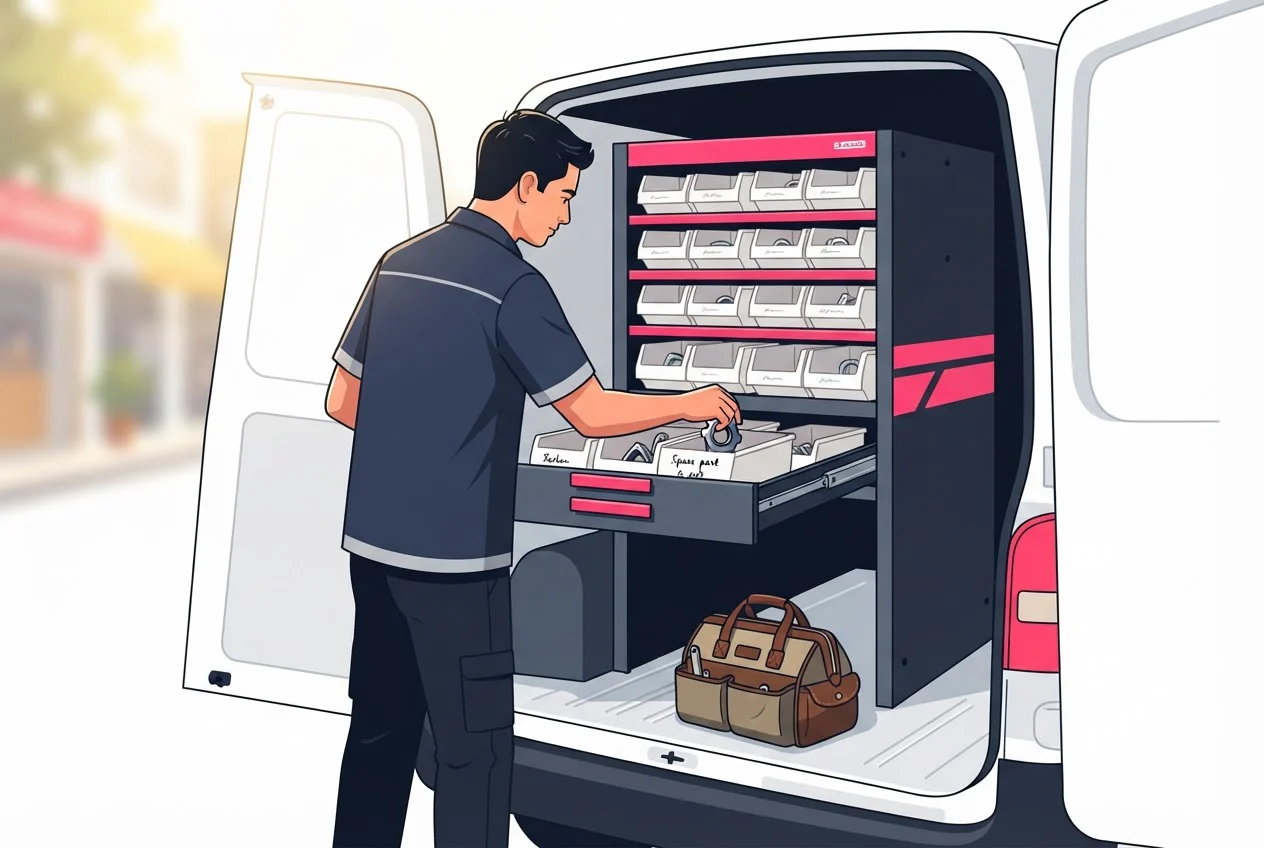
A Location is a warehouse, a site or a work vehicle. A Product Item is one product held at one location, with a quantity. That model suits a technician drawing parts from a van. It does not give a sales rep an available-to-promise answer on a quote, and nothing in it reserves stock for an order.
Field Service also carries licence conditions. As of October 2026, Salesforce requires at least one Service Cloud licence (its customer service product) for Field Service. Existing Service Cloud customers must have at least one Dispatcher licence, the Field Service user who schedules and dispatches jobs, at $175 per user per month, billed annually (Salesforce Field Service pricing).
Omnichannel Inventory gives location-level availability and reservations. It requires B2C Commerce or Salesforce Order Management and does not replace your inventory system of record, so it suits ecommerce fulfilment rather than quoting from stock in your own warehouses (Trailhead).
Which route fits: Field Service, custom objects, a native app or a connector?
Pick Field Service when the stock is service parts, a custom build when you have one location and a developer, a native app when sales sells from stock, and a connector when a separate inventory system already runs your warehouse.
| Route | Fits when | Watch for |
|---|---|---|
| Field Service inventory | Technicians consume parts and you already license Field Service | The licence conditions above, and $175 or more per user per month |
| Custom objects | One location, a few hundred products, an admin or developer with time | You will build a stock balance, a transaction log and reservations yourself, then purchasing, receiving and costing |
| Native app (a package installed from AppExchange, Salesforce's app marketplace) | Reps quote from stock, you hold several warehouses, you need lots or serials | Plan tiers: confirm which one includes sales orders |
| Connector to a separate system | You already run a stock system you will not replace | Two systems, so two counts that can disagree |
Several standalone inventory systems publish Salesforce connectors; each leaves a second stock count to reconcile. In our view, a connector is right only when the other system should keep owning stock. If you are choosing from scratch, one count in one place is simpler to run than a sync between two.
A custom build looks cheap until the second warehouse arrives. If your needs are heading towards purchasing, production and costing, compare the app route with a full enterprise resource planning (ERP) system first, meaning one platform that also runs finance and manufacturing.
What does Salesforce inventory management cost for five users?
At listed prices as of October 2026, five users cost between $75 and $655 a month across native apps, about 8.7 times from lowest to highest. Five Field Service Dispatcher or Technician licences cost $875. Arka Inventory's Enterprise plan is quoted, so it sits outside that range.
We publish this page and Arka Inventory is one of the apps in the table. All prices are in US dollars as each vendor lists them.
| Option | Listed price | 5 users, per month | 12 months | AppExchange rating |
|---|---|---|---|---|
| from $15 per user | $75 | $900 | 5.00 (2 reviews) | |
| from $99 per user | $495 | $5,940 | 5.0 (26 reviews) | |
| from $120 per user | $600 | $7,200 | 4.92 (51 reviews) | |
| $199 a month, paid yearly, 1 user included, extra users $42 | $367 | $4,404 | ||
| $499 a month, paid yearly, 2 users included, extra users $52 | $655 | $7,860 | ||
| Arka Inventory Enterprise (includes sales orders) | Quoted to the buyer | Quoted | Quoted | |
| from $79 per user (listing) | $395 | $4,740 | 4.80 (46 reviews) | |
| $175 per user, billed annually | $875 | $10,500 | ||
| $230 per user, billed annually | $1,150 | $13,800 |
The figures exclude the Salesforce licences your users already hold, implementation, and tax. Field Service Plus bundles Dispatcher, Technician, Service Cloud and Sales Cloud, so its row is not a like-for-like comparison.
Three cautions when reading the table:
- The lowest price comes with the narrowest scope. InventoryWorks covers purchase requisitions, production orders, bills of materials and fulfilment updates, and it has two reviews.
- GoldFinch and Rootstock are fuller ERPs, so they cover more than stock.
- A team that needs sales orders on Arka Inventory is on Enterprise, so the Basic, Advance and listing-price rows do not apply to it.
Why does stock still get oversold when it sits inside Salesforce?
Because a stock count in Salesforce usually shows what is on hand, and reps need what is available to promise: on hand, minus what is already committed to other orders, plus confirmed incoming stock that arrives before the delivery date.
Definition
Available to promise (ATP) ATP = on hand − committed + confirmed incoming by the promise date.
A worked example, with illustrative numbers: a warehouse holds 120 units. Open orders have committed 80. A purchase order for 60 is due in 10 days. A customer asks for 70 units in 7 days.
- ATP at day 7 is 120 − 80 = 40, so the promise fails.
- ATP at day 10 is 120 − 80 + 60 = 100, so 70 is safe from day 10.
A system showing "120 in stock" would have let the rep promise the full 70 inside the week.
Three mistakes commonly cause overselling (our assessment, not a measured share):
- Deducting stock only at invoice. Between quote and shipment the units look free to everyone. Clear inventory reservation rules for confirmed sales orders close this gap.
- Showing one total across warehouses. Ninety units in a warehouse in another city do not help a customer who needs delivery tomorrow. Availability must be read per warehouse, with transfers visible.
- No release path. A cancelled or shortened order must return its units on its own, or committed stock quietly drifts upwards.
How does Arka Inventory handle commitments, warehouses and Salesforce data?
We built Arka Inventory natively on Salesforce, so stock, purchase orders and costs are records in your own Salesforce account (called an org), beside your opportunities, quotes and orders. Reps see inventory on hand across locations, inventory on order, expected lead times and raw material availability while they create them.
Commit Inventory is how we stop overselling. Teams commit, allocate and reallocate inventory against customer orders. Reallocation lets you move units when a priority changes, and the reservation stays visible to everyone.
What you get depends on the plan, as of October 2026:
- Basic: multiple warehouses, purchase orders and transfers, barcoding and packing slips, and inventory alerts.
- Advance: everything in Basic, plus bills of material, production and kitting.
- Enterprise: sales orders, lot and serial tracking, landed cost (purchase price plus freight, duty and handling) and bin tracking (storing received stock in a specific shelf location and picking from it). It also includes dedicated onboarding and support, and is quoted to the buyer.
Sales orders, lot and serial tracking, landed cost and bin tracking are included only on the Enterprise plan. Basic and Advance do not include them. Tally and QuickBooks Online integrations cover the accounting side.
Our AppExchange listing rates 4.80 from 46 reviews (as of October 2026). Customers include Meta Power Solutions, a transformer manufacturer (metapowersolutions.com), and Regent 5, a home automation company (regent5.com), both for inventory and operations management.
Setup needs access to your inventory, product, warehouse and operational data. Onboarding takes two weeks at minimum, depending on data readiness and how complex your business rules are, and configuration help is included. Support runs Monday to Friday, 9 AM to 6 PM IST (Indian Standard Time).
Which seven tests should any Salesforce inventory app pass in a demo?
Run all seven on your own data. Each has a clear pass or fail, and one fail is enough to ask the vendor hard questions.
Where does the stock record live?
Pass: stock is stored as Salesforce records you can report on beside opportunities. Fail: the vendor cannot say which system wins when two counts differ.Commit a sale.
Pass: after one rep commits 10 units, the next rep's available quantity drops by 10 on their own screen without a refresh job. On Arka Inventory, committing against sales orders needs the Enterprise plan.Use a second warehouse.
Pass: availability shows per warehouse, and you can reallocate a commitment between them.Promise against incoming stock.
Pass: a purchase order due on a given date changes what can be promised for dates after it, not before.Cancel a committed order.
Pass: the units return to available without a manual edit.Trace one serial or lot.
A lot is a batch of units made or received together. Pass: from a single serial or lot number, one report names the customer and the order. This matters where recalls or warranties apply, and on Arka Inventory it needs the Enterprise plan.Get the price in writing.
Pass: a quote for your user count, naming the plan that includes sales orders, in the currency you will be invoiced in.
Start our 15-day free trial, which gives full access to all features and needs no credit card, and run these seven tests on your own stock data. If you would rather run them with us, you can book a demo.
Run the seven tests on your own stock data
Frequently asked questions
Sources
- 1.Rekik, Oliva, Glock and Syntetos, "Inventory record inaccuracy in grocery retailing" (arXiv, revised June 2026)
- 2.Salesforce Field Service pricing (India)
- 3.Salesforce Help: Set Up Your Field Service Inventory
- 4.Trailhead: Omnichannel Inventory
- 5.Arka Inventory pricing
- 6.AppExchange: Arka Inventory & Warehouse Management
- 7.AppExchange: Rootstock
- 8.AppExchange: GoldFinch ERP
- 9.AppExchange: InventoryWorks