TL;DR
Our guide to lot and serial tracking software compares the proof buyers should demand: lot, expiry, and serial capture, combined hierarchy, enforceable FIFO or FEFO picking, mobile validation, and recall exports. We explain the receiving-to-return workflow, a vendor test rubric, and how our platform fits teams evaluating traceable, multi-warehouse inventory operations.
Traceability becomes urgent when dated stock, warrantied products, or regulated goods move through several warehouse steps. In the United States, an estimated 48 million people get sick from foodborne illness each year, which is why lot records must remain useful under pressure.
The best lot and serial tracking software captures batches, expiry dates, and unique unit serials at receiving, then preserves those links through storage, transfer, allocation, picking, shipping, returns, and recalls. Choose it only if it enforces FIFO or FEFO during allocation and mobile scanning. We compare the evidence that proves those controls.
Evaluating Lot and Serial Tracking Software
A feature list can make nearly every platform look similar. We evaluate systems by whether the data survives real warehouse work, especially when a picker scans the wrong lot, a unit is returned, or a recall requires both forward and backward traceability.
| Platform Type | Lots | Serials | Expiry | Combined Hierarchy | FIFO | FEFO | Mobile Validation | GS1 | Recall Reporting | Multi-Warehouse | Price And Fit |
|---|---|---|---|---|---|---|---|---|---|---|---|
| Arka Inventory | Verified | Verified | Verified | Confirm In Demo | Confirm In Demo | Confirm In Demo | Confirm In Demo | Confirm In Demo | Confirm In Demo | Verified | Basic begins at $199 monthly with annual billing. Lot and serial tracking is in Enterprise, which is custom priced. |
| General Inventory Platform | Require Proof | Require Proof | Require Proof | Require Proof | Require Proof | Require Proof | Require Proof | Require Proof | Require Proof | Require Proof | Compare plan limits, implementation effort, and integrations. |
| Manufacturing-Focused Platform | Require Proof | Require Proof | Require Proof | Require Proof | Require Proof | Require Proof | Require Proof | Require Proof | Require Proof | Require Proof | Test production, repacking, and component lineage. |
| Warehouse-Focused Platform | Require Proof | Require Proof | Require Proof | Require Proof | Require Proof | Require Proof | Require Proof | Require Proof | Require Proof | Require Proof | Test allocation, handheld scans, and location controls. |
| ERP Suite | Require Proof | Require Proof | Require Proof | Require Proof | Require Proof | Require Proof | Require Proof | Require Proof | Require Proof | Require Proof | Confirm required modules, configuration, and support scope. |
For our own platform, we verify that teams can track inventory by batch, expiry date, and serial number. Buyers should use the same standard with every system in their shortlist: do not award a “yes” merely because a field exists. Start with lot and serial tracking, then require a live transaction test for each operational claim.
When Should You Use Lots, Serials, Expiry Dates, or a Combined Hierarchy?
Lots identify a shared batch, receipt, production run, or quality event. Serials identify one specific unit. Expiry dates determine whether stock remains usable, and a combined hierarchy connects each individual unit back to the lot that explains its origin, dates, and quality context.
Use lot tracking for food, cosmetics, chemicals, ingredients, and any product that may need a batch recall. Use serial tracking for equipment, devices, high-value goods, warranties, repairs, and returns. Use both when a serialized unit must retain its batch provenance throughout its lifecycle.
For food businesses handling items on the Food Traceability List, the FDA has proposed a July 20, 2028 compliance date, and required data may need to be available within 24 hours. That makes real-time inventory visibility more than a convenience. It is the difference between locating affected stock quickly and assembling records manually from disconnected systems. See the current FDA guidance for the rule’s proposed timeline and response expectations.
How Should Receiving and Warehouse Movements Preserve Traceability?
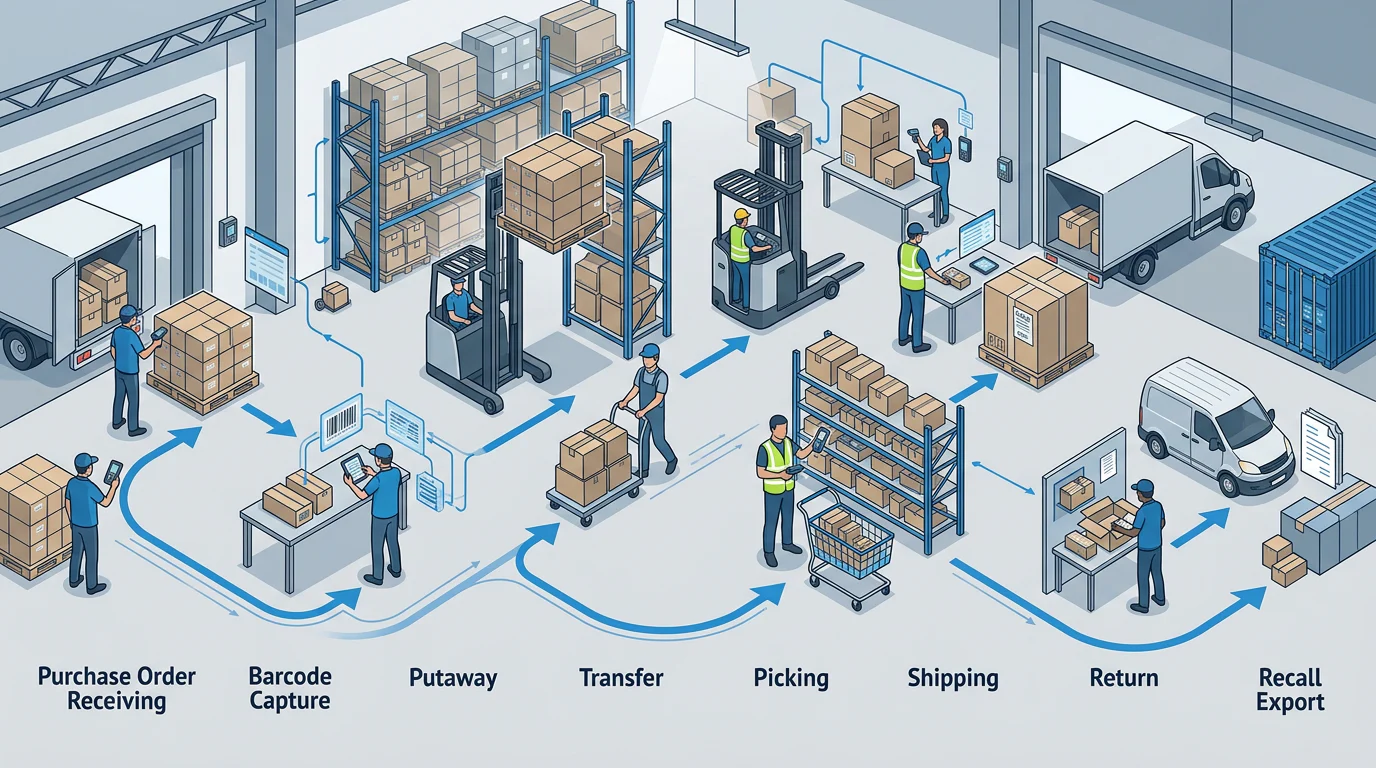
Traceability starts before a product reaches a shelf. A strong process gives every lot, expiry date, serial, quantity, and location a deliberate role from receiving through return, while preserving the chain of custody across every exception.
Capture the Right Data at Receiving
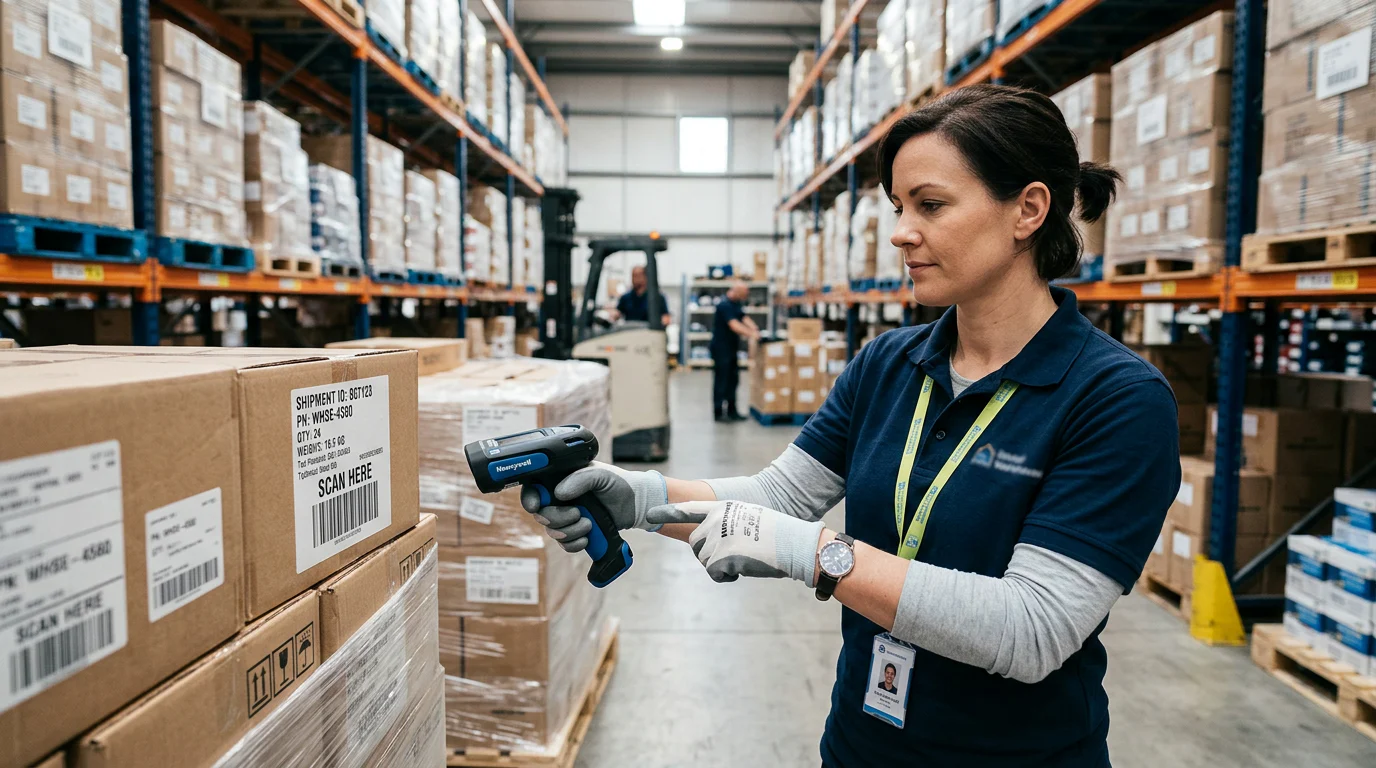
A receiver should create or capture the supplier lot, record expiry and production dates when relevant, scan each unique serial, and reject duplicates before inventory becomes available. Labels should carry the details warehouse staff need at the point of work. GS1 identifiers support lot, expiry, and other attributes in a standardized barcode structure.
Teams also need inventory visibility that shows on-hand quantity, stock status, and location information as soon as a warehouse scan is completed.
Preserve the Chain Through Every Movement
Use this eight-step flow to audit a product’s traceability path:
- Plan The Receipt: Set item, supplier, lot, serial, date, and location requirements before goods arrive.
- Receive The Stock: Capture lot creation, serials, quantities, expiry dates, and condition.
- Validate Uniqueness: Reject duplicate serials and route questionable inventory to quarantine.
- Label And Put Away: Print or scan labels, then record the receiving location and status.
- Transfer And Adjust: Retain lot and serial relationships through moves, counts, and reason-coded adjustments.
- Repack Or Assemble: Preserve source-lot and output-lot relationships when inventory changes form.
- Allocate And Pick: Select eligible inventory, then validate the chosen lot or serial at pick and pack.
- Return And Recall: Record disposition, warranty history, affected orders, and exportable traceability data.
Warehouse controls should make the correct action easy, not leave accuracy to memory. Our warehouse management approach supports the operating context around stock movement and preserves the information receiving teams capture.
Keep Quarantine and Returns Separate
A returned serial may be authentic yet unsuitable for resale. The system should keep the unit tied to its original history while assigning a clear disposition such as available, repair, refurbish, quarantine, or scrap. This avoids the common failure where returned stock becomes sellable before inspection.
For a recall drill, filter inventory by lot or serial, identify affected locations and orders, then export the full movement history. The drill should reveal missing fields and manual steps before a real incident happens.
Does FIFO or FEFO Actually Control Allocation and Mobile Picking?
FIFO and FEFO are not interchangeable labels. FIFO prioritizes the oldest eligible received inventory. FEFO prioritizes inventory with the nearest expiry date, which matters whenever receipt order and expiry order differ.
The real question is whether the platform acts on the rule. A report sorted by expiry date is useful, but it does not prove that an order was allocated correctly or that a handheld blocked the wrong scan. Teams should be able to search, filter, and export exceptions in custom reports before they rely on a rotation rule.

| Warehouse Step | FIFO Control | FEFO Control | Evidence To Request |
|---|---|---|---|
| Allocation | Oldest eligible receipt is selected | Earliest eligible expiry is selected | Allocation record and date ranking |
| Pick Task | Picker is directed to the oldest eligible lot | Picker is directed to the earliest-expiring lot | Handheld task showing selected lot |
| Wrong Scan | System blocks or governs an override | System blocks or governs an override | Demonstration with a nonrecommended lot |
| Short-Dated Stock | Flagged by age or rules | Flagged by remaining shelf life | Alert and exclusion settings |
| Override | Requires authority and reason code | Requires authority and reason code | User history and exception export |
Define Eligible Inventory First
A sound rule excludes quarantined, expired, damaged, allocated, or location-restricted stock before sorting begins. It should also account for minimum remaining shelf life, client-specific policies, and whether a particular location is permitted to fulfill the order.
Test Allocation Before the Pick Starts
Ask the vendor to create two eligible lots where receipt and expiry dates produce different answers. The allocation should demonstrate which date controls the order, why the lot was selected, and whether a supervisor can override it with a reason code. This is where commit inventory becomes important, because availability and promise logic must align with warehouse execution.
Validate the Decision on the Floor
A mobile workflow should scan location, product, lot, expiry, and serial data where applicable. For package-level pharmaceutical tracing, the FDA describes an interoperable electronic approach to tracking certain prescription drugs. That is a useful reminder that unit-level evidence has to survive operational handoffs, not only live in reports. Review FDA package tracing when evaluating regulated product workflows.
Why Choose Arka Inventory for Traceable Operations?
At Arka Inventory, we built our platform for teams that need operational visibility without losing the details that make a recall, return, or warehouse investigation defensible. Our Enterprise plan includes lot and serial tracking, BIN tracking, sales orders, landed cost, and dedicated onboarding, while the Basic and Advance plans provide a practical path for teams establishing purchase, transfer, production, and warehouse controls. We recommend beginning with a working session around your item master, location structure, existing labels, and return policy. Then test the real transactions: receive a dated lot, assign a unique serial, move it, allocate it, return it, and export its history. That sequence shows whether the process works beyond a feature checklist. We will help you prepare a focused demonstration that gives your receiving and fulfillment teams the evidence they need before committing to a rollout. Review Arka pricing, then explore Arka Inventory.
FAQs on Lot and Serial Tracking Software
These short answers reinforce the evidence standard: tracking must stay connected to physical inventory, and rotation must be proved where warehouse staff receive, allocate, and scan it.
What Should Lot and Serial Tracking Software Do?
It should capture lot numbers, expiry dates, and unique serials at receiving, preserve their relationships through each movement, and validate the selected stock before shipment.
What Is the Difference Between FIFO and FEFO?
FIFO ranks eligible stock by its received date. FEFO ranks it by expiry date, so it is generally the stronger control for dated or perishable inventory.
How Can We Test Mobile Picking Controls?
Ask a picker to scan a nonrecommended lot. A meaningful control blocks completion or requires an authorized override, then records the user and reason code.
What Should a Recall Report Include?
A recall report should identify affected stock, locations, open orders, shipped customers, suppliers, transaction history, user actions, and exportable data for rapid containment and response.
Can a System Track Both Lots and Serials?
The model must retain the parent lot on every unit serial, preserve it during transfers and returns, and expose both records in the recall export.