
Best Multi-Warehouse Inventory Alternatives for Live Reporting
Compare multi-warehouse inventory alternatives for live reporting, picking, traceability, allocation, public pricing, and migration planning.

For businesses covered by the Food Traceability Rule, the FDA can require relevant records within 24 hours. That is one reason a warehouse report must be more than a static stock count.
Among multi-warehouse inventory alternatives, we recommend Arka Inventory for Salesforce-based teams that need live, customizable reporting alongside stock commitment, location visibility, traceability, and warehouse workflows in one system. The right choice still depends on verified picking methods, transfer states, allocation rules, reporting refresh behavior, integration scope, and total implementation cost.
This comparison ranks seven platform types for reporting-focused operations, then shows how to evaluate picking, availability, traceability, pricing, and migration without mistaking a feature checklist for a working warehouse process.
Which Multi-Warehouse Inventory Alternatives Fit Live Reporting?
The best system is not automatically the one with the longest feature list. For reporting teams, the deciding question is whether a dashboard can connect warehouse reality to commercial decisions: what is physically present, what is committed, what is incoming, what is moving between sites, and what requires action now.
We rank our platform first for Salesforce-based operations because we keep inventory and operational context close to the sales, service, and reporting workflows already used by the business. Our inventory visibility gives users location-level context that supports clearer decisions across warehouses.
| Rank | Platform Type | Picking Evidence | Warehouse Visibility | Lot And Serial Evidence | Allocation Evidence | Dashboard Fit |
|---|---|---|---|---|---|---|
| 1 | Arka Inventory | Barcode, bin-directed work, pick tickets, wave workflows | Live location-level inventory | Enterprise-tier lot, serial, batch, and expiry tracking | Stock commitment and reserved inventory context | Salesforce-native custom reporting |
| 2 | Mid-Market Inventory Suite | Tier-gated warehouse capabilities | Multi-location inventory | Tier-gated traceability | Plan-dependent rules | Standard operational reports |
| 3 | ERP-Embedded WMS | Mobile, wave, bulk, and barcode workflows | Multi-location records | Lot and serial controls | Firm commitment and allocation controls | Configurable enterprise reporting |
| 4 | High-Volume Fulfillment WMS | Mobile, batch, wave, and barcode workflows | Warehouse-filtered operations | Lot, expiry, and serial workflows | Fulfillment-focused rules | Productivity dashboards |
| 5 | 3PL Warehouse System | Wave and pick-to-tote workflows | Multi-client warehouse views | Movement and traceability reports | Client-specific rules | Live operational dashboards |
| 6 | Small-Team Inventory System | Pick and pack workflows | Real-time location counts | Add-on traceability | Basic availability controls | Standard reports |
| 7 | Enterprise Warehouse And OMS | Batch, wave, zone, and mobile workflows | Unified operations view | Lot, expiry, and serial controls | Rules-based allocation | Enterprise analytics |
The incumbent still fits organizations whose established manufacturing processes, trained teams, and reports already match their needs. It becomes restrictive when reporting requires manual spreadsheet work, transfer stock is invisible, sales cannot see committed demand, or warehouse exceptions arrive too late to change a decision.
- Spreadsheet Reconciliation: Teams export separate location reports before every planning meeting.
- Undefined Availability: Users can see on-hand inventory but cannot distinguish it from committed or incoming stock.
- Invisible Transfers: Stock leaves one warehouse without appearing as a clear in-transit state.
- Static Reporting: Dashboards show totals but cannot expose picker exceptions, expiry risk, or allocation conflicts.
Reporting teams also need the freedom to filter warehouse activity by the decision they are making, rather than accept a fixed screen. Our custom dashboards help users organize operational data around warehouse, product, customer, owner, and exception status.
How Do Picking Workflows Compare Across Warehouses?
Picking is where a broad software claim either becomes a usable warehouse workflow or falls apart. A platform can generate a pick list without supporting mobile validation, scan enforcement, exception handling, or a route that works when several people pick several orders at once.
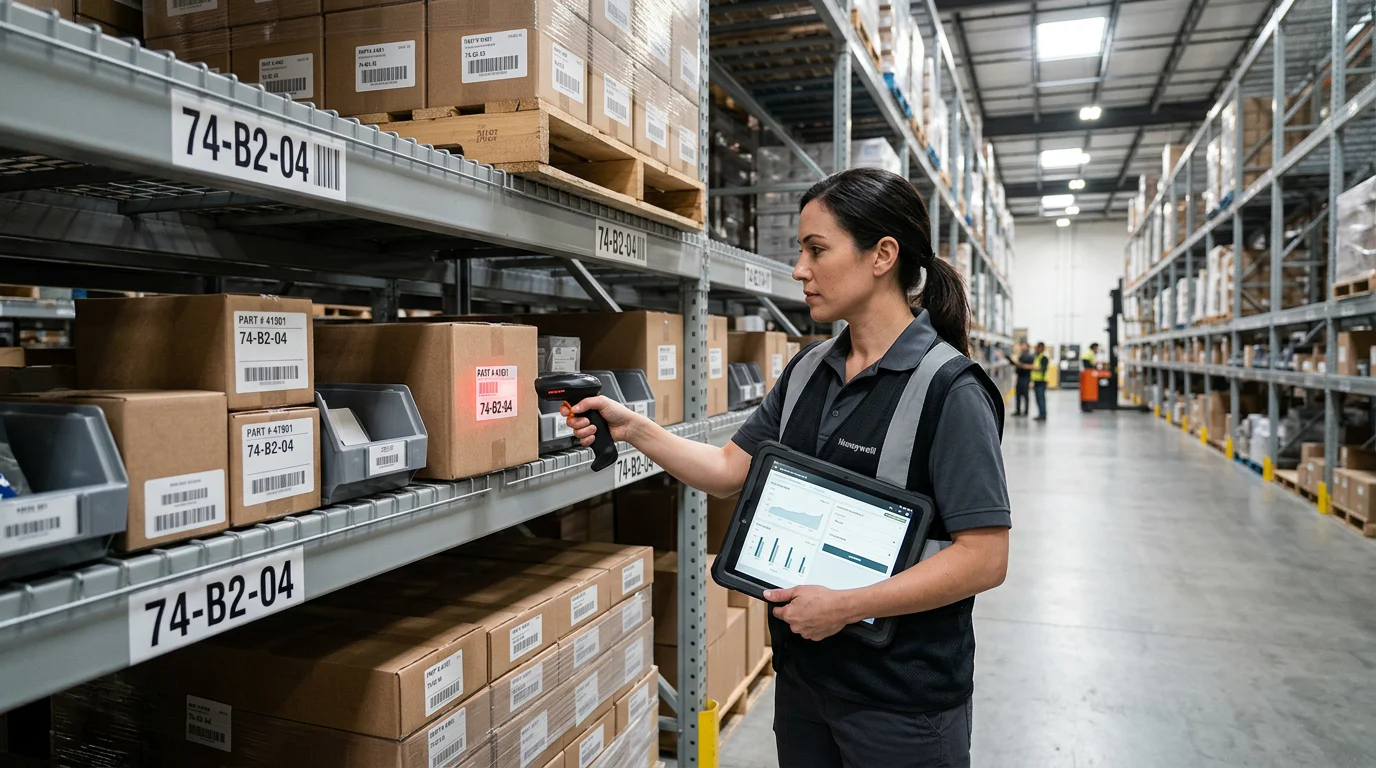
At Arka Inventory, we connect warehouse execution with Salesforce operations. Our documented workflows include barcode-based receiving, pallet handling, bin putaway, pick tickets, packing slips, bin suggestions, and wave picking. For lot and batch-enabled products, we support expiry-first selection and FIFO workflows where appropriate.
Separate Picking Methods from Marketing Labels
Mobile picking means a worker can execute and confirm work on a mobile device. Barcode picking means scans validate the product, location, container, or lot. Batch picking combines common items across orders, while wave picking releases a planned group of orders based on rules such as carrier cutoff, priority, or labor capacity.
Zone and cluster picking add more complexity. Zone picking divides work by warehouse area. Cluster picking lets one worker handle multiple orders using separated totes or containers. Buyers should require a live demonstration of the exact method they use, rather than accepting a generic “advanced picking” claim.
Test the Exception Workflow
The shortest pick path is not always the most important workflow. Teams also need to see what happens when a bin is empty, an item is damaged, a barcode fails, a lot is too close to expiry, or a picker finds an unplanned substitute.
Our warehouse management connects barcodes, bin-directed work, pick tickets, packing, and warehouse workflows inside Salesforce. A credible demonstration should show the exception, its owner, the stock impact, and the report that surfaces it.
Ask for Evidence That Reaches the Dashboard
A picking platform should prove that it can report order, warehouse, bin, picker, quantity, lot, time, and exception reason together. This allows operations leaders to find recurring shortages, route inefficiencies, and training gaps without joining exports from unrelated systems.
Which Alternative Handles Visibility, Traceability, and Allocation?
Visibility, traceability, and allocation should work as one model. If a report shows inventory in one warehouse but does not account for a committed order, a transfer, a quarantine hold, or a lot restriction, the number may be technically accurate and operationally misleading.
We built our system to help Salesforce users view inventory by location, reserve stock against orders, see expected supply, and use operational context while quoting or fulfilling. Our lot and serial tracking supports traceability needs across warehouse movements, production, and fulfillment.
Make Transfer State Visible
Transfers need more than a source and destination field. Reports should identify when stock was requested, picked, shipped, received, delayed, or disputed. They should also make clear whether in-transit inventory is excluded from availability, included in planning, or awaiting reconciliation.
Ask every provider to explain its synchronization behavior. “Live” should mean a documented event flow with visible errors, not an unsupported assumption about refresh speed.
Preserve Traceability Through the Full Chain
Lot, batch, and serial tracking serve different purposes. A batch or lot identifies a group of items, while a serial number identifies an individual unit. The GS1 traceability standard distinguishes these levels because each supports a different degree of precision during investigation, quality control, and recall work.
A useful traceability workflow records the identifier at receipt or production, preserves it through bin movement and picking, and links it to the shipped order. It should also support expiry-aware selection, audit history, quarantine rules, and a fast affected-customer lookup.
Allocate Against a Shared Definition of Available
Availability must be defined before it can be trusted. On-hand stock is physically recorded quantity. Committed stock is reserved to an order. Incoming stock is ordered but not received. Safety stock is a protected buffer. Channel reservations may set aside stock for a specific customer or sales channel.
Our commit inventory capability helps teams distinguish a physical count from stock that can actually be promised. That distinction gives sales and operations a shared basis for decisions.
| Availability Field | What It Should Mean | Reporting Question |
|---|---|---|
| On-Hand | Physically recorded inventory | Which warehouse and bin hold it? |
| Committed | Quantity reserved for demand | Which order or priority rule owns it? |
| Available | Quantity usable after applicable commitments and holds | Can sales promise it now? |
| Incoming | Purchase or transfer quantity not yet received | What is the expected date and source? |
| Safety Stock | Quantity protected from ordinary allocation | Who can override it? |
| Channel Reservation | Stock protected for a customer or channel rule | Does it appear in consolidated availability? |
How Should You Price and Migrate a New Platform?
Public entry pricing is useful only when readers see the boundaries around it. Our Basic plan starts at $199 per month when paid annually and includes multiple warehouses, transfers, barcoding, and packing slips. Our Advanced plan starts at $499 per month when paid annually. Lot and serial tracking is listed on our custom Enterprise tier, so we do not present the entry price as the cost of a traceability implementation.
Other public starting prices in this market range from lower-cost small-team plans to higher-volume warehouse subscriptions, while several enterprise systems publish quote-only pricing. Implementation timing is just as important. A vendor may advertise a fast start for a defined scope, but integrations, labels, open orders, traceability data, and reporting rules determine the actual rollout.
Use our reporting guide to identify the dashboards that must reconcile on day one. This puts transfer state, committed demand, traceability, and warehouse exceptions into the rollout plan before data is moved.
| Platform Type | Public Starting Price | Implementation Disclosure | Cost Question To Ask |
|---|---|---|---|
| Arka Inventory | $199/month, paid annually | Not publicly stated as a standard duration | Which Enterprise features and onboarding services apply? |
| Mid-Market Inventory Suite | $349/month | Not publicly stated as a standard duration | Which integrations and warehouse features require a higher tier? |
| ERP-Embedded WMS | Quote | Not publicly stated as a standard duration | Which modules, users, and services are required? |
| High-Volume Fulfillment WMS | $1,995/month | Four to eight weeks stated for a defined WMS rollout | What changes when warehouses, channels, or automation expand? |
| 3PL Warehouse System | Quote | Not publicly stated as a standard duration | Which client, billing, and reporting requirements add cost? |
| Small-Team Inventory System | $129/month, paid annually | Not publicly stated as a standard duration | Which traceability, user, and integration add-ons apply? |
| Enterprise Warehouse And OMS | Quote | About 90 days stated for core deployment | Which advanced functions arrive after core go-live? |
For food traceability programs, the FDA says a traceability lot code stays the same as food moves through the supply chain unless the food is transformed. Its lot-code guidance is a useful reminder to map lot identity before migration.
- Export Core Data: Capture products, UOMs, warehouses, bins, suppliers, customers, costs, lots, serials, expiry dates, and BOMs.
- Test Labels: Confirm barcode formats, scanners, printers, and scan-validation rules before cutover.
- Map Open Work: Reconcile open sales orders, purchase orders, transfers, returns, backorders, and production records.
- Configure Warehouse Rules: Set pick paths, allocation priorities, expiry logic, replenishment, and role permissions.
- Prove Integrations: Document data direction, field mapping, refresh behavior, and failed-sync ownership for every connected system.
- Reconcile Before Retirement: Compare physical counts, commitments, valuation, lot balances, and open orders by warehouse before shutting down the prior system.
Before committing, compare plan boundaries and implementation needs against our pricing. That keeps the commercial discussion aligned with the workflows and reporting requirements your team will use after go-live.
See Arka Inventory in Your Salesforce Workflow
At Arka Inventory, we give Salesforce-based operations teams one place to connect warehouse execution with the reports people actually use to make decisions. We built our platform to show location-level stock, committed demand, inbound supply, production context, and order activity without asking teams to stitch together exports. Our warehouse workflows support barcodes, bin-directed work, pick tickets, packing, and expiry-aware selection, while our reporting foundation lets leaders filter the operational picture by warehouse, product, customer, or owner. We will help you map the fields, workflows, and decision rules that matter before you move data, then test them against the way your team really works. That conversation is especially useful when a dashboard must reflect both sales activity and warehouse reality. Bring your reporting questions, transfer rules, allocation policies, and traceability needs. We will show how Arka Inventory can fit your Salesforce workflow. Explore Arka Inventory
FAQs on Multi-Warehouse Inventory Alternatives
Who Offers Better Warehouse Picking for Multi-Warehouse Operations?
Choose the platform whose live demonstration validates your needed mobile, barcode, batch, wave, zone, and exception workflow. We support barcode and wave workflows inside Salesforce.
Who Provides Better Multi-Warehouse Visibility?
Choose a system showing on-hand, committed, incoming, and transfer stock by location. We built Arka for Salesforce users who need that operational context every day.
Which System Handles Batch Traceability?
Select software that preserves batch history from receipt or production through shipment, including expiry and recall lookup. Our Enterprise capability supports lot, serial, and batch tracking.
Which Alternative Tracks Lots and Serial Numbers?
Confirm lot-level and unit-level records, barcode capture, movement history, and shipment linkage for accountable traceability. We provide lot and serial tracking in our Enterprise offering.
Which Option Handles Stock Allocation?
Choose a platform distinguishing on-hand stock from committed, incoming, and protected quantities. We support inventory commitment, helping Salesforce teams promise stock with appropriate operational context daily.
Which Alternative Provides Live Reports Across Warehouses?
Look for warehouse filters, role-aware access, visible exceptions, and known refresh behavior. Our Salesforce-native reporting makes those operational signals available alongside sales and order activity.