
Inventory Replacement Workflows: Alternatives Compared Across Six Operations
Compare inventory replacement workflows for picking, warehouse visibility, traceability, live reports, and stock allocation.

Warehouse software choices now carry a compliance angle. The FDA intends not to enforce its Food Traceability Rule before July 20, 2028, yet covered businesses still need reliable records linking their inventory events.
At Arka, we recommend choosing inventory replacement workflows by the decision your dashboard must support: a dedicated warehouse system for demonstrably advanced picks, or an inventory operations platform for unified location, traceability, reporting, and allocation data. We score each option on the same evidence, pricing, integration, and implementation tests before calling it a fit.
Below, we compare the six workflows buyers should test before replacing an existing inventory system.
How Do We Compare Inventory Replacement Workflows?
A useful comparison starts with the current system, not a feature checklist. Record how it handles picking, location visibility, traceability, reporting, allocation, integrations, and deployment constraints. That baseline reveals whether the real gap is warehouse execution, decision-ready data, or both.
| Option | Best Fit | Picking Evidence To Require | Visibility Evidence To Require | Traceability Evidence To Require | Reporting And Allocation Evidence | Starting Price |
|---|---|---|---|---|---|---|
| Current System Baseline | Identifying the actual replacement need | Mobile, zone, batch, wave, cluster, exception handling | Transfers, in-transit stock, permissions, update timing | Lots, serials, expiry, recalls, audit history | Drill-down, exports, committed and available stock | Current contract |
| Arka Inventory | Shared operational reporting and inventory control | Barcode, bins, pick tickets, packing slips, wave workflow | Multiple warehouses, transfers, on-order stock | Batch, expiry, and serial tracking | Custom dashboards, reservations, backorders, expected supply | $199/month, paid annually on our price page |
| Dedicated Warehouse System | Complex floor execution | Proof of advanced pick modes and recovery flows | Proof of location and transfer states | Proof of required item controls | Proof that warehouse events reach reporting tools | Vendor-specific |
| Inventory Operations Platform | Cross-functional inventory decisions | Proof of scan and pick execution | Proof of shared location data | Proof of recall and serial granularity | Proof of live reports and allocation logic | Vendor-specific |
We use six tests: pick execution, location truth, batch traceability, serial control, reporting usability, and allocation integrity. A feature earns a positive score only when dated documentation or a representative demo proves it.
Legacy Platform Baseline: Before switching, capture one current order from receipt through transfer, pick, shipment, allocation, and dashboard reporting. That sequence exposes gaps that broad product claims often hide.
Which Replacement Offers Stronger Warehouse Picking?
The best picking alternative depends on how work is released and recovered on the floor. A platform with barcode scanning and pick tickets may suit straightforward fulfillment, while high-volume operations may need validated batch, zone, wave, cluster, and exception workflows.
A 2024 study distinguishes batch picking, which groups orders, from zone picking, which assigns workers to areas. Those are different operating models, so buyers should never treat them as interchangeable checkboxes.
Mobile and Bin-Directed Execution
We support barcode-based receiving, palletizing, bin putaway, pick tickets, packing slips, and suggested bin locations. For teams that need floor activity reflected in the same operating dataset as customer and order information, those are practical starting points.
Use our warehouse workflows to assess whether bin direction, scan confirmation, and packing evidence match the way your team works today.
Wave, Batch, Zone, and Cluster Tests
We document wave picking, but buyers should ask every provider to demonstrate each advanced method using representative order volume. A real test should show how orders enter a wave, how work is assigned, and how completed picks return to fulfillment reporting.
| Pick Method | What To Test | Decision Risk If Missing |
|---|---|---|
| Mobile Picking | Scan confirmation, offline behavior, device support | Manual errors remain hidden |
| Zone Picking | Zone assignment and handoff visibility | Work queues become fragmented |
| Batch Picking | Multi-order grouping and sort recovery | Travel savings are unproven |
| Wave Picking | Release rules, capacity, and completion status | Daily workload cannot be managed |
| Cluster Picking | Container handling and order separation | Mis-picks increase during consolidation |
| Exception Handling | Short picks, substitutions, damage, re-picks | Dashboards overstate fulfillment progress |
Our warehouse guide can help teams turn these tests into a repeatable floor review.
Which Replacement Gives Better Multi-Warehouse Visibility?
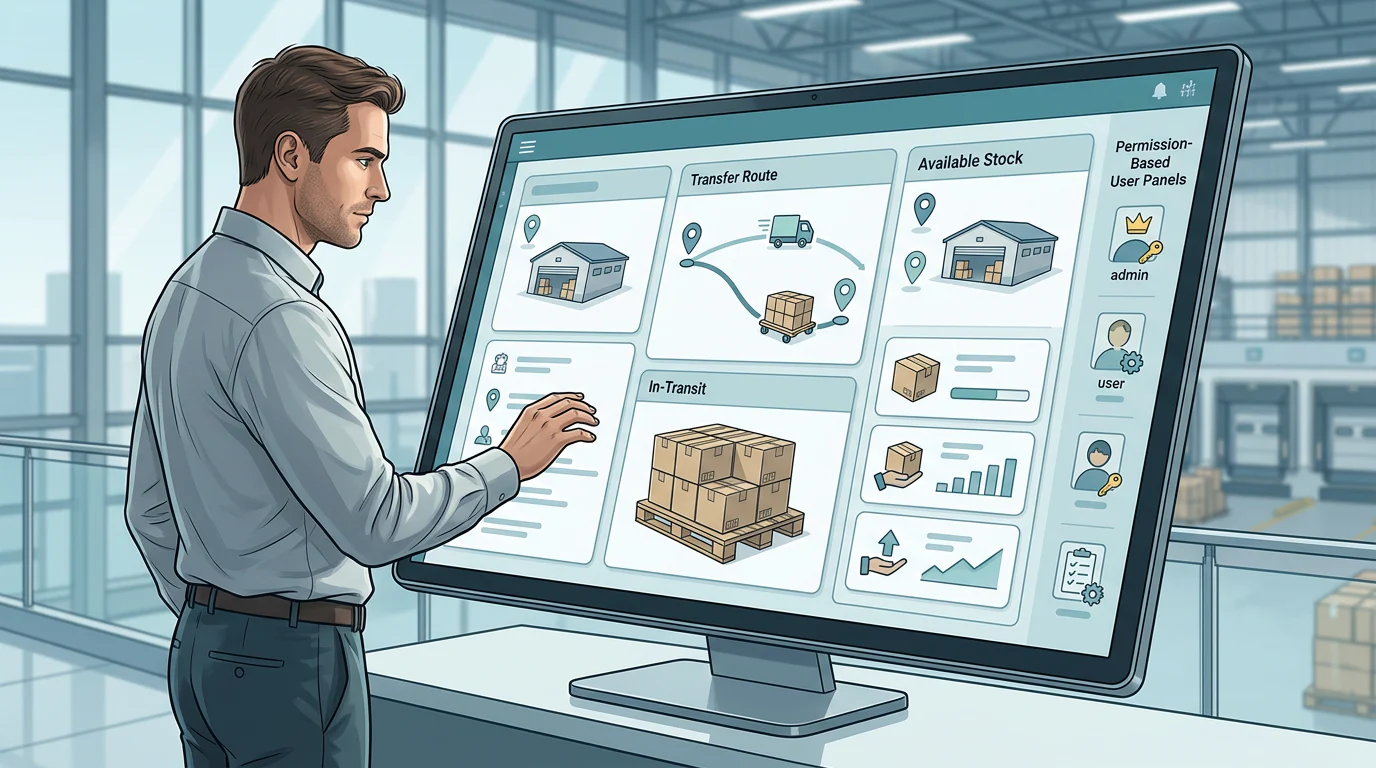
Multi-warehouse visibility is not a total stock number. It is a shared view of what is on hand, committed, incoming, in transit, and actually available at each location.
We provide real-time inventory visibility across warehouses and locations, including inventory on order and expected lead-time context. Teams should still test update timing in their own configuration, because a claim of real time is not a published refresh interval.
Transfers and In-Transit Stock
A transfer must create a visible source state, in-transit state, and destination state. If stock disappears from one location before it is available at another, the report should make that movement obvious instead of forcing teams to reconcile it manually.
Our location visibility supports location-level inventory review. During a proof session, ask us to show the transfer lifecycle with timestamps and its effect on available inventory.
Permissions and Update Latency
Custom-dashboard teams should test whether a sales user, warehouse user, and operations leader see the appropriate stock view. They should also time a scan, transfer, or allocation from transaction to dashboard, then retain that result as part of the buying record.
Which Replacement Provides Batch, Lot, and Serial Traceability?
Traceability is stronger when it connects identity, event, location, and outcome. A system that records a batch number at receipt but cannot connect it to a shipment, return, or recall search has not completed the operational chain.
The GS1 standard separates batch-level identification from serial-level identification. A batch narrows inventory to a group, while a serial identifies one individual item.
Batch and Lot Control
We track inventory by batch, expiry date, and serial number. For regulated or quality-sensitive products, buyers should test whether a batch can be traced from receiving through production, storage, picking, and shipment.
Use our lot and serial controls when your dashboard needs traceability fields beside operational and customer data.
Serial-Level History
Serial control should prove that an individual item can be received, moved, sold, returned, and reviewed without confusing it with another unit. Ask to see mandatory capture rules, serial status, return history, and exportable transaction history.
Expiry, Recalls, and Audit Evidence
Expiry-aware picking matters when the oldest eligible stock should leave first. We support first-expiring-lot picking and FIFO workflows. Buyers should separately confirm recall search, audit history, and export requirements during evaluation.
Which Replacement Delivers Live Reporting and Stock Allocation?
Reporting and allocation belong together because a dashboard is only trustworthy when it explains why stock is unavailable. Teams need the underlying transaction state, not just an inventory total.
We built our platform for teams that need inventory data in their operational reporting environment. Our public materials list custom reports and dashboards, but buyers should verify refresh behavior, drill-down, custom fields, exports, and scheduled distribution against their specific reporting design.
Live Reporting Tests
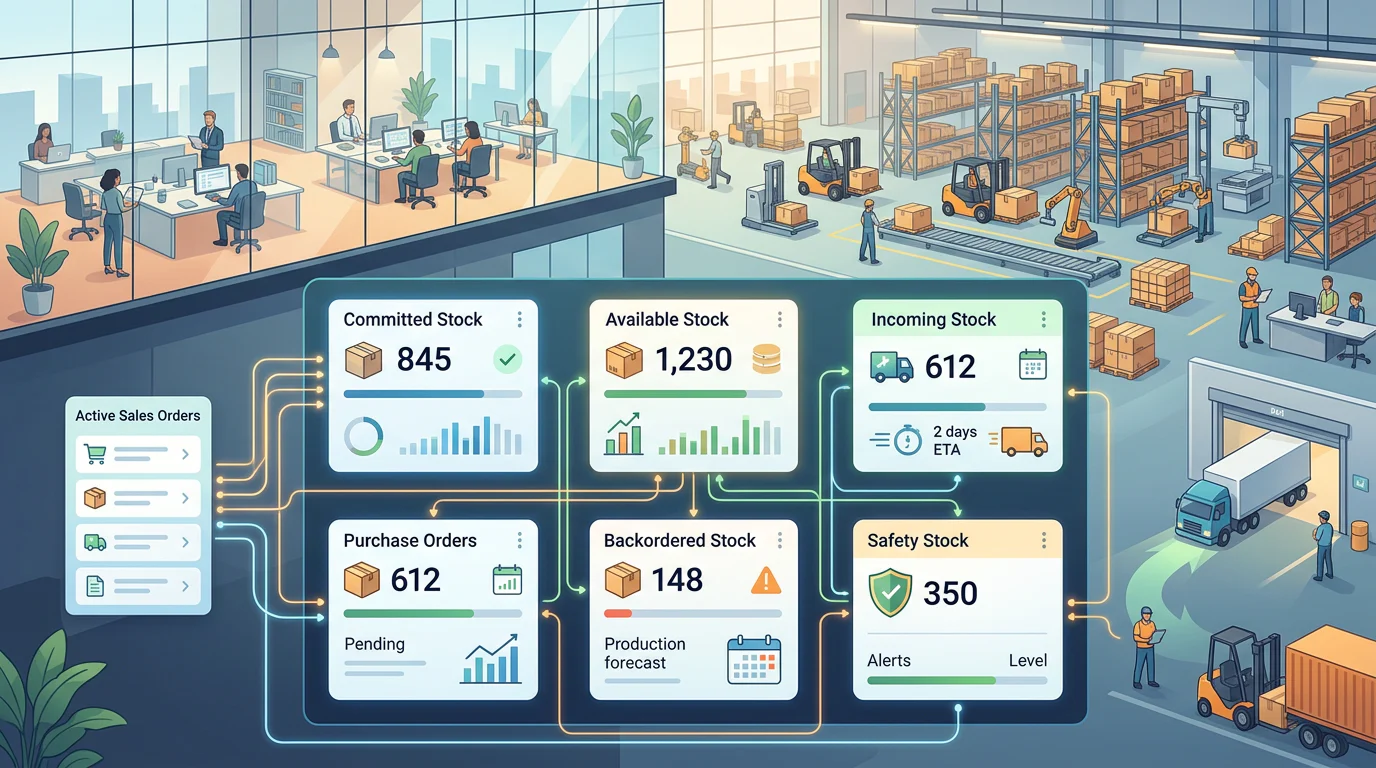
Test one inventory event from scan to report. Then inspect cross-location filters, lot and serial drill-down, custom fields, saved views, exports, user permissions, and the ability to isolate exceptions without spreadsheet cleanup.
Our custom dashboards are the right place to start when reporting flexibility is the primary replacement driver.
Allocation Tests
Decision-ready allocation distinguishes committed, available, incoming, backordered, and safety-stock-protected quantities. Run competing sales orders, partial allocations, incoming supply, and a transfer in transit to see whether the dashboard explains each number.
We support reserved inventory, backorder visibility, expected supply, and minimum stock levels. Buyers should test these states with representative order and replenishment data before making a replacement decision.
Why Choose Arka Inventory for Inventory Replacement Workflows?
At Arka, we built our platform for operations teams that need inventory facts inside the customer, order, service, and reporting environment they already use. Our entry plan is publicly priced, while advanced traceability, bin control, sales orders, and onboarding sit in the plan appropriate to larger requirements. We can help your team run a practical proof session around your real reports: a transfer in transit, an expiring lot, a serialised return, a partial allocation, and a picker exception. Bring the fields and dashboard questions that affect customer promises. We will show what our configuration supports, identify what needs validation, and help you assess implementation effort without pretending that one generic score fits every operation. That approach gives finance, operations, and customer-facing teams one focused way to test the data they will rely on after launch. Start with a conversation and see Arka Inventory
FAQs on Inventory Replacement Workflows
How Do We Compare Warehouse Picking?
Compare scan confirmation, bin direction, wave, zone, batch, cluster, and exception recovery using representative orders, staffing assumptions, and measurable completion evidence from your own operation.
What Makes Multi-Warehouse Visibility Trustworthy?
Trustworthy visibility separates on-hand, committed, incoming, transfer, and available quantities by location, applies appropriate permissions, and shows the update time for every inventory event clearly.
What Does Recall-Ready Traceability Require?
Recall-ready records connect supplier receipt, lot or serial identity, transformation, storage location, pick, shipment, and return events, letting teams isolate affected stock quickly and confidently.
How Should We Test Live Reporting?
Time a real inventory event through the dashboard, then inspect cross-location filters, drill-down, custom fields, exports, saved views, permissions, and report distribution options for accuracy.
Which Allocation States Matter Most?
Decision-ready reports distinguish committed, available, incoming, backordered, and safety-stock-protected quantities, then show the order, location, and supply date behind every number for reliable customer promises.